Manage Library
Manage Library is the main dashboard for library administration. Its cards provide access to library-wide settings and tools for managing taxonomy, users and permissions, governance, the landing page, integrations, reporting, and more.
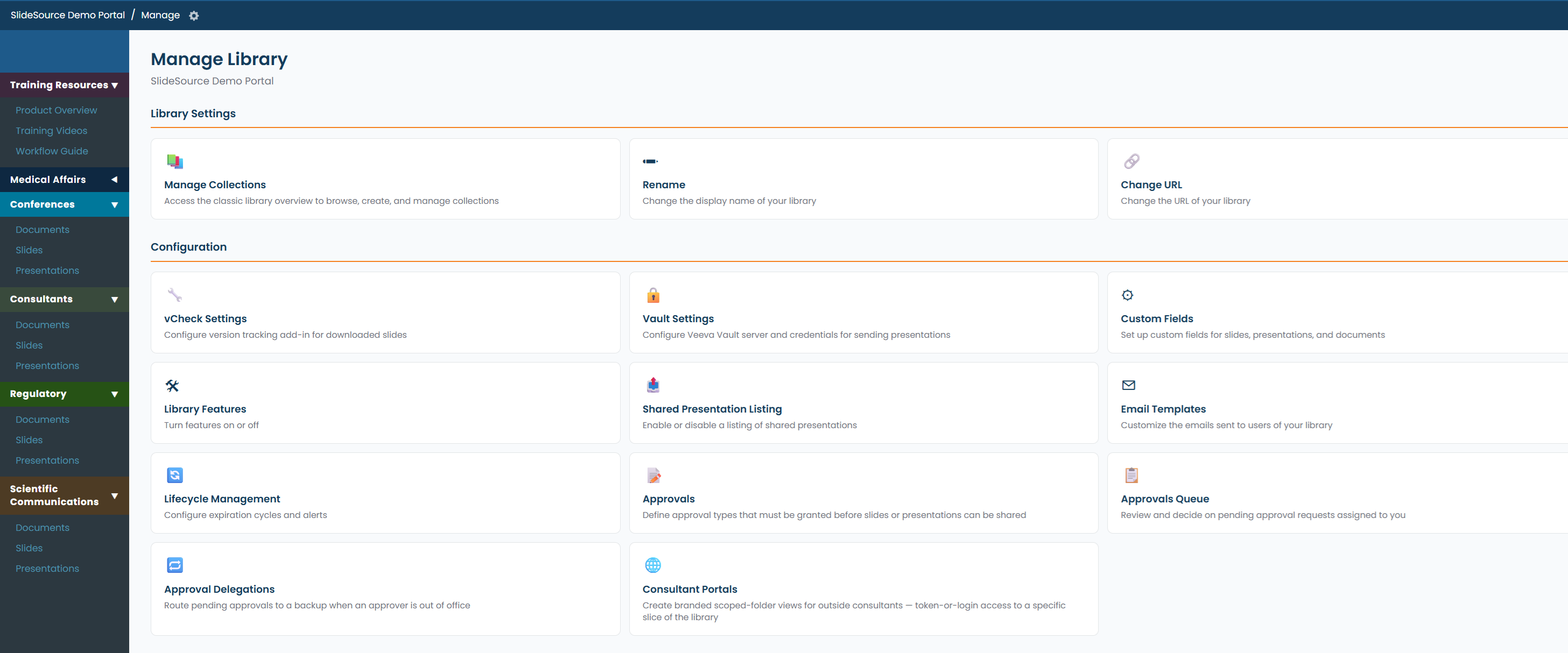
Opening Manage Library
Section titled “Opening Manage Library”Manage Library is available to Library Admins and the Library Owner. The dashboard organizes administrative tools into the sections below. The cards you see depend on your role and your library’s configuration.
The card groups
Section titled “The card groups”Library Settings
Section titled “Library Settings”Structure and identity for the library as a whole.
- Manage Collections: create and organize the collections (slide, presentation, document, and productivity sets) and the folder tree inside each. See Set up your collections.
- Rename: change the library’s display name.
- Change URL: change the library’s web address (its URL slug).
Configuration
Section titled “Configuration”Library-wide behavior and policy.
| Card | What it configures | Reference |
|---|---|---|
| Approval Settings | The approval mode (require / hide / use freely) and how review works | Approval & governance |
| Add-in Settings | The PowerPoint add-in and vCheck stamping of downloaded decks | Integrations |
| Custom Fields | The custom-field taxonomy and field rules | Taxonomy |
| Library Features | Feature toggles and presentation-naming options | Setup & features |
| Shared Presentation Listing | The public, embeddable presentation listing | Integrations |
| Email Templates | The wording and branding of system emails | Email templates |
Content Management
Section titled “Content Management”- Tag Management: review, rename-merge, and remove tags across the library. See Taxonomy.
Landing Page
Section titled “Landing Page”Everything that shapes what people see when they arrive.
- Preview: open the current landing page as visitors see it.
- Edit Landing Page: header, logo, disclaimer, and consultant disclaimer.
- Manage Side Bar: the collections and links in the sidebar.
- Manage Widgets: the widgets shown on the landing page.
Reports & Activity
Section titled “Reports & Activity”- Download Report: statistics and presentation-download reports (CSV and custom reports).
- Download Overview: an emailed Excel overview of the library.
- View Download Log: a log of who downloaded what.
See Reports & usage.
Users & Groups
Section titled “Users & Groups”- Invite Users: send invitations to join the library.
- Manage Users: roles, per-user access, and removal.
- Manage Groups: the groups that carry permissions.
See Users, groups & permissions.
Subscription
Section titled “Subscription”- Subscription: usage against plan limits, tier and price, service dates, upgrades, and payment history. Owner only. See Subscription & billing.
Where to go next
Section titled “Where to go next”Set up your collectionsCreate collections and build the folder hierarchy inside your library.
Users, groups & permissionsRoles, groups, and the Allow / Default / Deny permission model.
TaxonomyCustom fields, tags, requirements, and stamps.
Approval & governanceApproval modes and the review queue.