The tray
The tray is a holding space along the bottom of the workspace where you collect items from anywhere in the library and then act on them in bulk. It’s how you download several slides at once, bulk-edit properties, and reuse content across panes.

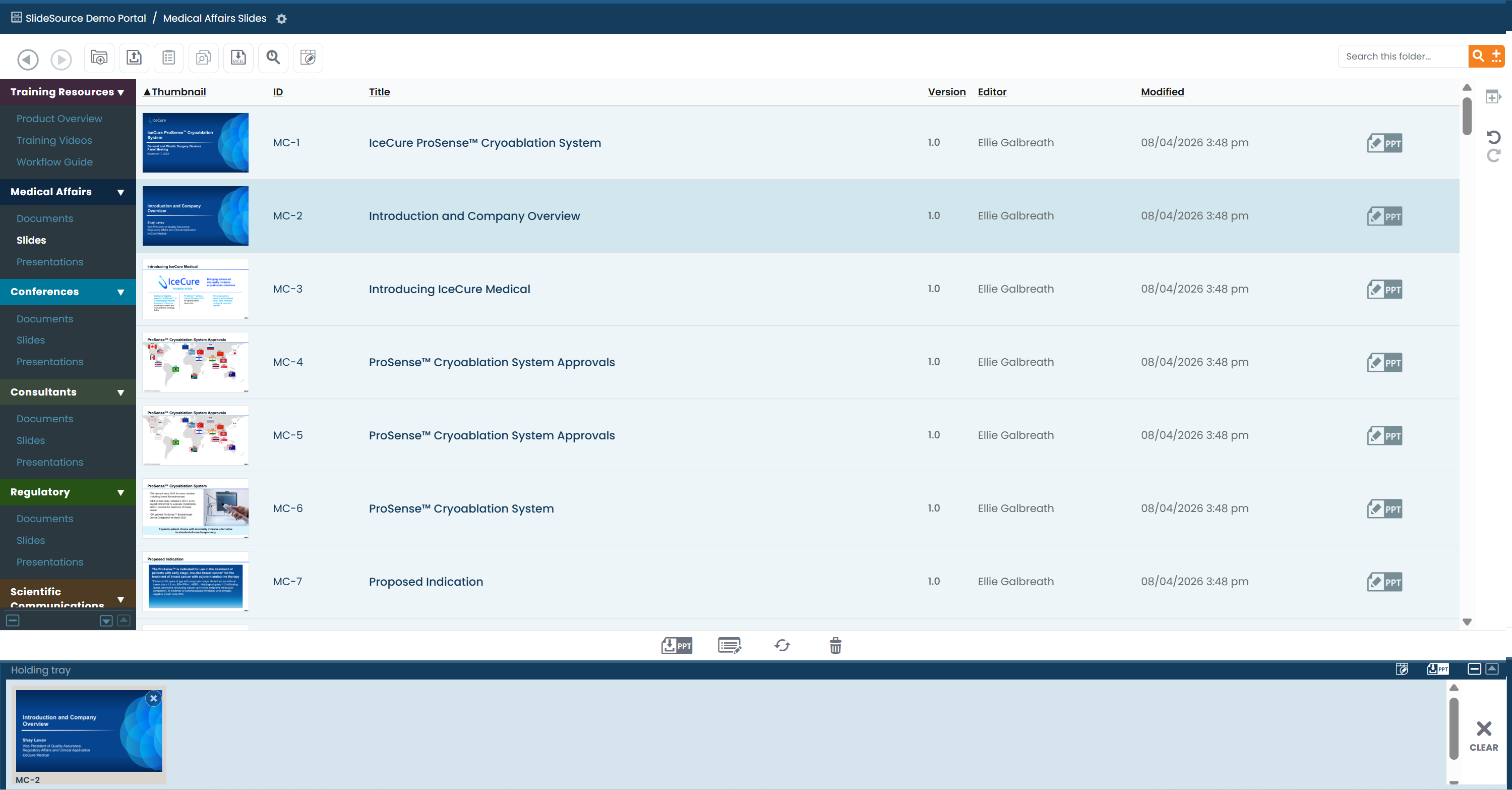
Opening and clearing the tray
Section titled “Opening and clearing the tray”- Use the expand and minimize icons to open or close the tray at any time.
- Clear empties the tray when you’re done.
What the tray holds
Section titled “What the tray holds”You can drag a mix of item types into the tray:
- Slides
- Versions (a specific version of a slide)
- Section-slides (a slide within a presentation section)
- Presentations
- Folders
- Documents
Collect from as many folders and collections as you like: the tray keeps everything together until you clear it.
The toolbox
Section titled “The toolbox”The tray’s toolbox runs an action across everything you’ve collected:
Download / Download PowerPoint
Section titled “Download / Download PowerPoint”Download the collected items into a zip file, or Download PowerPoint slides to compile the selected slides into a single combined .pptx.
Edit properties
Section titled “Edit properties”Edit properties applies changes to every collected item at once: custom fields, tags, C-Code, and requirements. This is the fastest way to tag or re-classify a batch of slides.
Recycle
Section titled “Recycle”Recycle removes collected items: send them to the trash, or permanently delete them (permission-gated).
Bulk notification subscriptions
Section titled “Bulk notification subscriptions”Subscribe to (or unsubscribe from) change notifications for every collected item in one action. See Notifications.
The Recycle Bin
Section titled “The Recycle Bin”Items you recycle to the trash land in the Recycle Bin, where they can be reviewed and, where permitted, restored rather than lost.