Reports & usage
The Reports & Activity tools on Manage Library tell you what’s in the library, who’s using it, and how it’s being used. This page is the reference; for the step-by-step, see Reports & usage (workflow).
Download Report
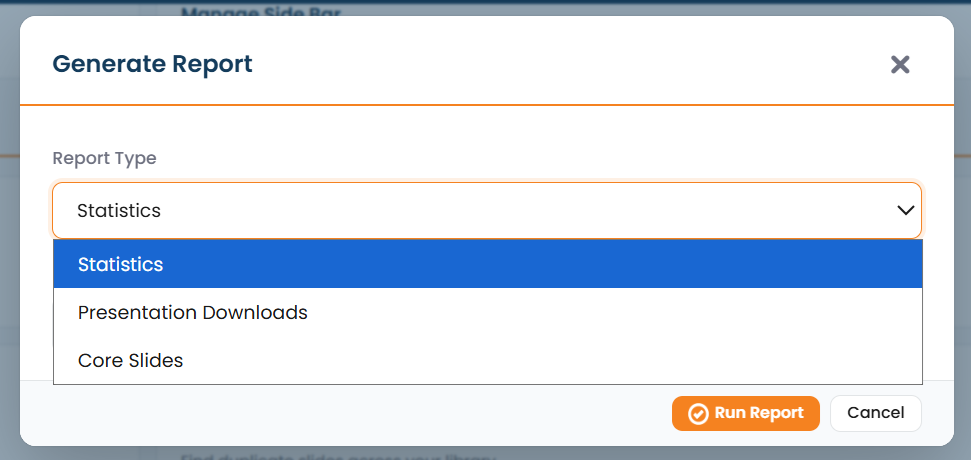
Section titled “Download Report”Download Report produces data files you can open in a spreadsheet:
- Statistics: a CSV of library statistics.
- Presentation Downloads: a CSV of presentation-download activity.
- Custom reports: reports you scope to the fields and range you need.
Download Overview
Section titled “Download Overview”Download Overview generates an Excel overview of the library and emails it to you: a convenient way to get a broad snapshot without building a custom report.
View Download Log
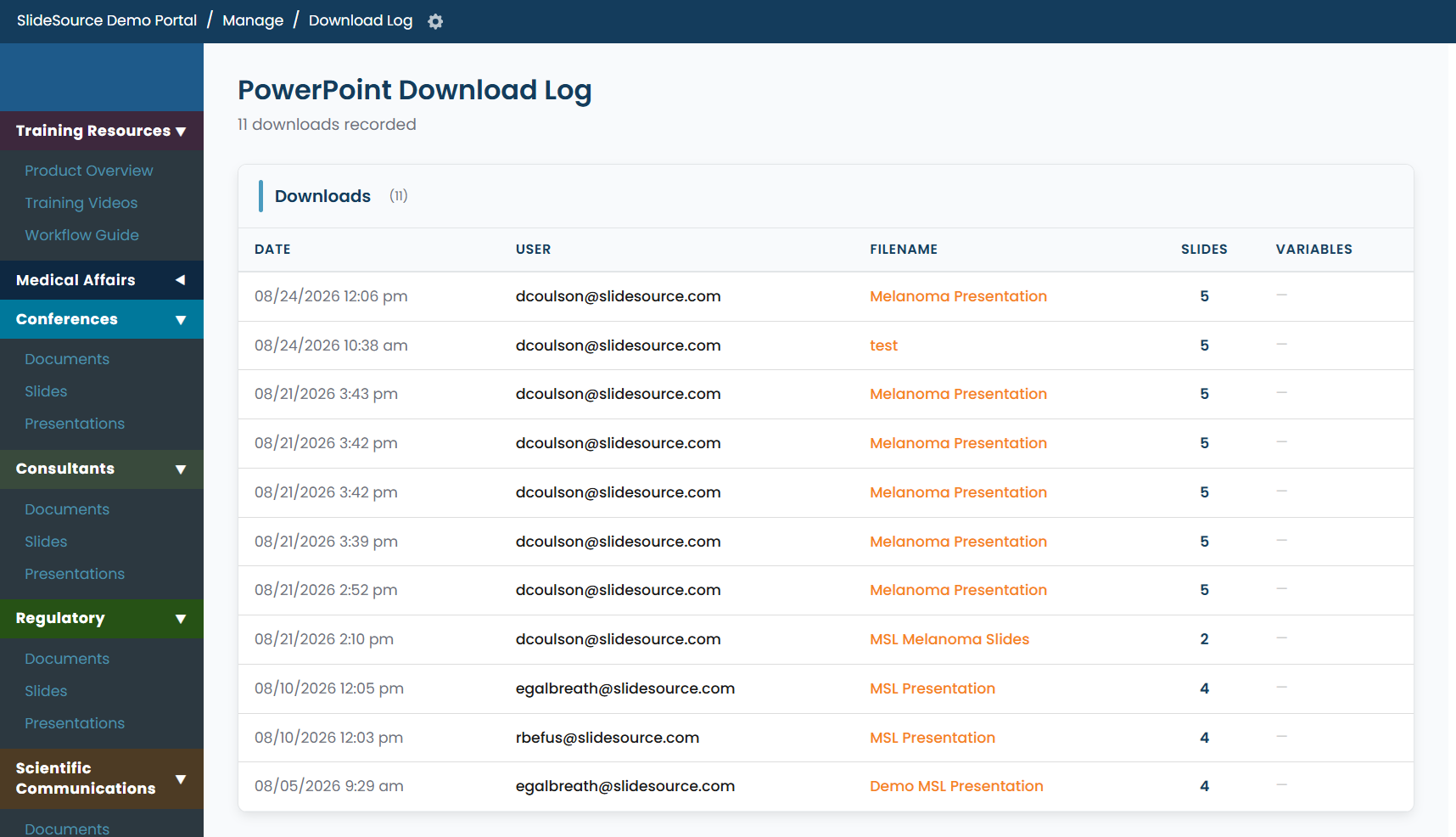
Section titled “View Download Log”View Download Log shows a running log of downloads, who downloaded what, and when. Use it to answer “who has this deck?” and to see recent activity at a glance.
Users export (CSV)
Section titled “Users export (CSV)”You can export the library’s people as a Users CSV, the roster with each person’s details, for offline review, audits, or reconciling access. (The user roster lives under Users, groups & permissions.)
Usage vs. plan limits
Section titled “Usage vs. plan limits”Reports also help you keep an eye on usage against your plan’s limits: how much of your entitlement you’re using. Detailed usage against tier, pricing, and renewal is on the owner-only Subscription & billing page.