Maintenance & cleanup
Goal: keep your library tidy and accurate: fix properties in bulk, resolve duplicates, recover deleted items, clean up tags, and refresh productivity data.
When to use this: as routine housekeeping, before an audit, or whenever the library has drifted and needs a cleanup pass.
-
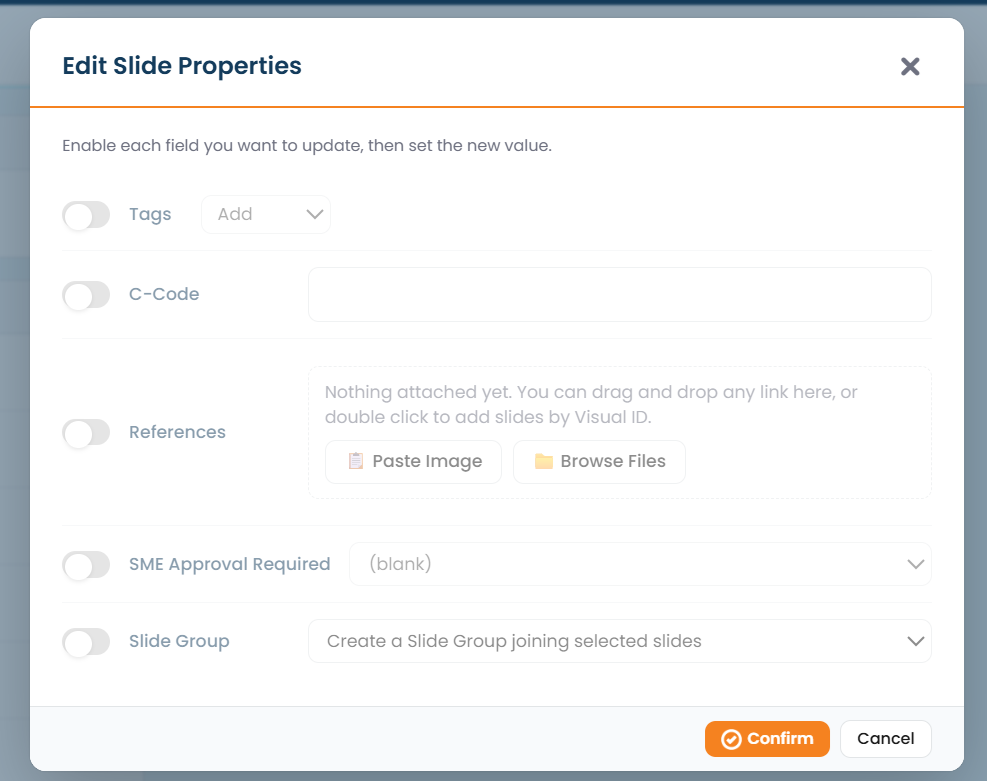
Batch-edit properties. Collect items in the tray, then use Edit properties in the tray’s toolbox to change tags and custom-field values across many items at once.
-
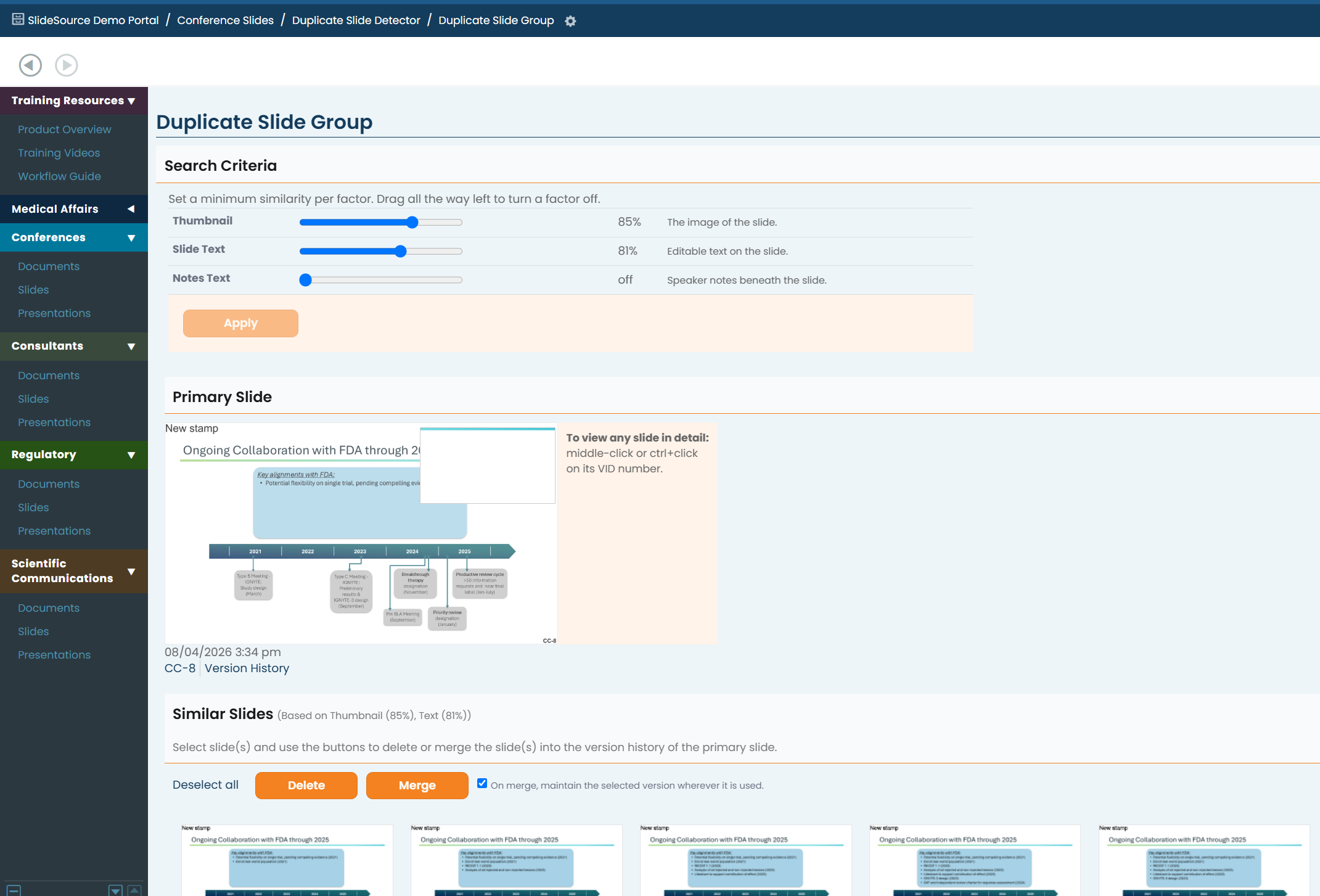
Resolve duplicates. Run Duplicate Detection to find near-identical slides, then compare and merge them so your teams reuse one canonical copy instead of several.
-
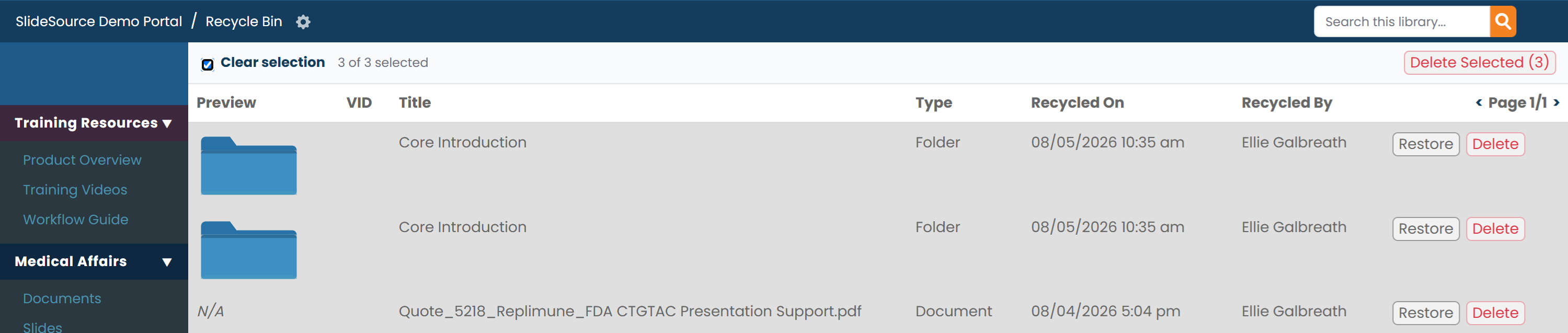
Recycle Bin. Use the Recycle Bin icon above the tray to view deleted items, restore anything you still need, or permanently delete items you no longer want.
-
Tag Management. Use Tag Management to merge or remove stray tags and keep your library’s tagging consistent. See Build your taxonomy for the full tag workflow.
-
Refresh productivity data. For Productivity collections, use the Excel import tools to update records in bulk, and export to review the data offline.