Notifications
Notifications keep you informed about changes to the content you care about: without you having to check back manually. You control exactly what you’re notified about and at what scope.
The Email Notifications pane
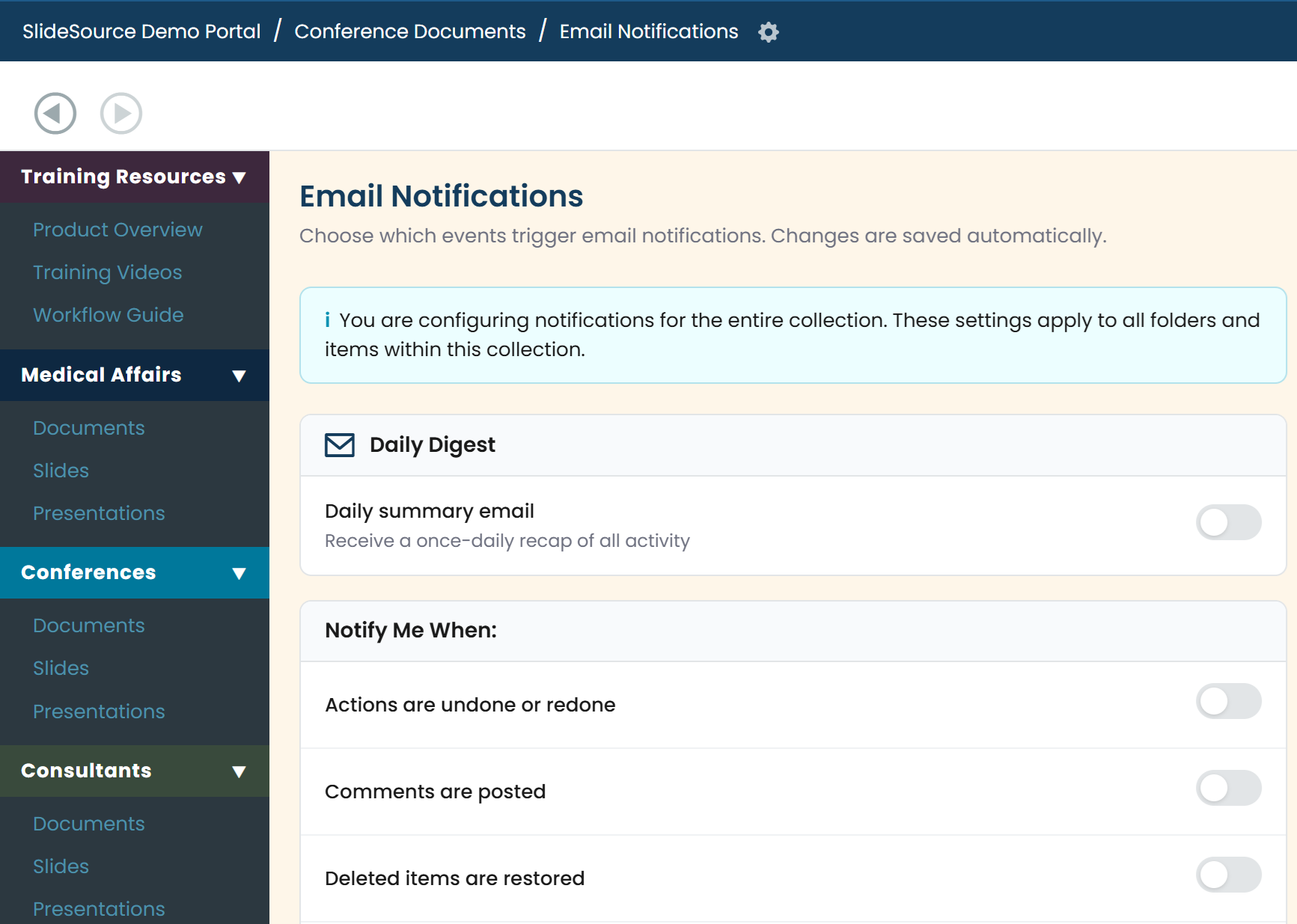
Section titled “The Email Notifications pane”The Email Notifications pane is where you manage your subscriptions and email preferences in one place.
The Daily Digest
Section titled “The Daily Digest”The Daily Digest bundles your notifications into a single once-a-day email instead of sending one message per event: handy when you watch a lot of content and don’t want a flooded inbox.
Notify Me When
Section titled “Notify Me When”Notify Me When toggles let you subscribe to specific events. Each subscription has a scope:
- Collection: watch an entire collection.
- Folder: watch a single folder.
- Item: watch one slide, presentation, or document.
Narrow the scope to just the content you’re responsible for, or watch a whole collection when you need the full picture. You can also set item-level subscriptions in bulk from the tray, or on a single item using Subscribe in its detail view.
The emails you receive
Section titled “The emails you receive”The emails cover the kinds of changes you’d expect to track (new and updated content in the areas you watch, review decisions, and other events), delivered individually or rolled into the Daily Digest. For the full list of events you can subscribe to, see the reference below.