Citations
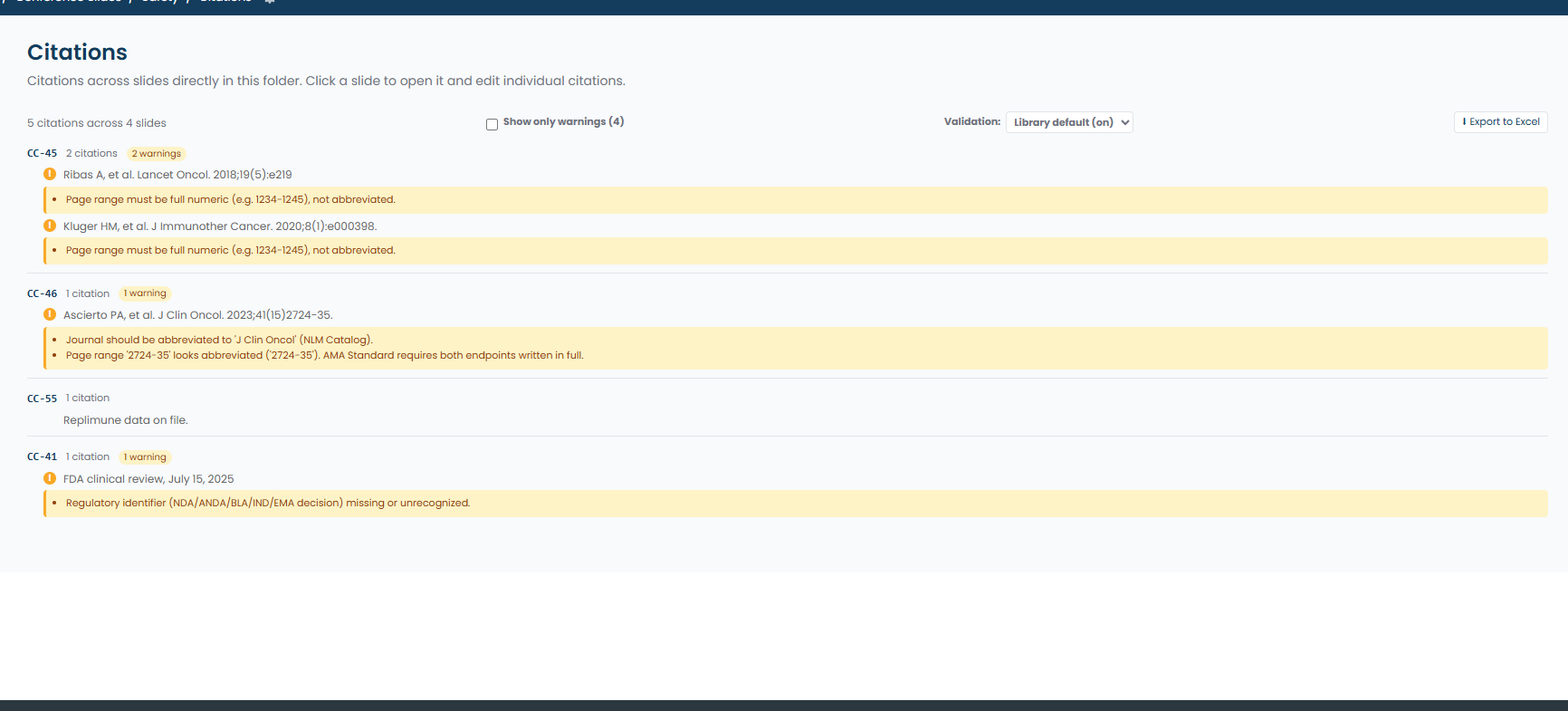
When a library has citation extraction turned on, SlideSource reads the references off a slide as it is analyzed and keeps them as structured records. You can then review them on the slide, where they appear in the AI Citations panel, across a whole presentation, or across a folder, and export the result.
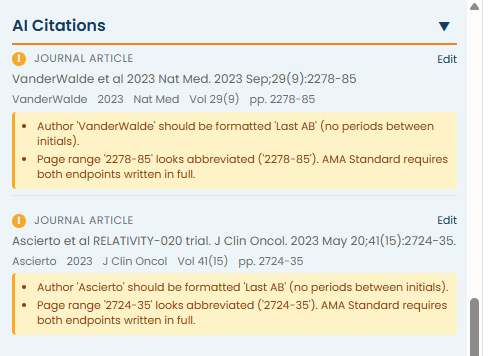
What gets extracted
Section titled “What gets extracted”Each citation is captured as a record with a type, so a journal article is distinguishable from a regulatory document. The types are:
- Journal article
- Book
- Conference proceedings
- Clinical trial
- Drug label
- Regulatory reference
- Online
- Other
A citation can be edited if the extraction read something wrong, and an edited citation is marked as such so reviewers know a person has been over it.
Format validation
Section titled “Format validation”If your library has validation on, each citation is checked against a style guide and anything that does not conform is flagged. The styles available are AMA Standard, AMA Slide-Abbreviated and Vancouver.
Validation checks the shape of a citation against the style: the elements that should be present and how they are arranged.
Reviewing at three levels
Section titled “Reviewing at three levels”The same citations are reachable from three places, which is what makes them useful for review rather than just for the record:
- On a slide: the references on that slide.
- On a presentation: every citation across the deck, so a reviewer can work through a deck’s evidence in one pass.
- On a folder: every citation across the folder, which is how you audit a body of content rather than a single deck.
Exporting
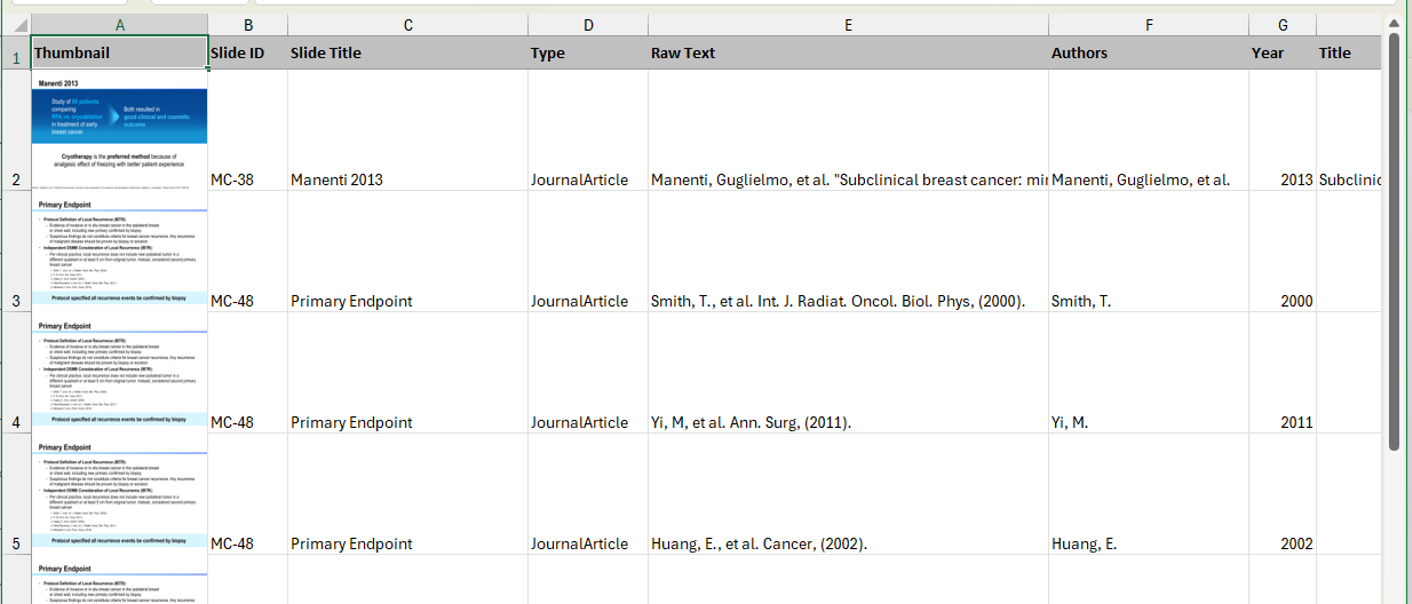
Section titled “Exporting”Presentation-level and folder-level views export to Excel, one row per citation, with slide thumbnails embedded. This is the form to hand to a reviewer who works outside the library, or to attach to a submission.
Citations and attachments
Section titled “Citations and attachments”Citations and attachments do different jobs and a slide often needs both.
- Citations are the references the slide itself cites, read out of the content.
- Attachments are supporting material a person deliberately links to a slide: a file, another slide, or a URL.
A citation tells a reviewer what the slide claims to rest on. An attachment gives them the source itself.