Decks
A deck is a set of slides you have saved for yourself. It is a working space, not a published thing: you assemble it, come back to it, download it, and can turn it into a presentation in one step.
What a deck is, and is not
Section titled “What a deck is, and is not”A deck is deliberately lighter than a presentation.
| A deck | A presentation |
|---|---|
| Belongs to you | Lives in a collection |
| No version history | Full version history |
| No share link | Can be shared by link |
| Does not count against your plan | Counts against your plan |
| Download it, or promote it | Download, share, publish, govern |
Because a deck is a workspace rather than a record, there is nothing to approve on it and nothing to roll back to. When you need any of that, promote it to a presentation.
Decks are visible to your library administrators
Section titled “Decks are visible to your library administrators”A deck is personal, not private. Library administrators can see the decks people in their library have built, read only, and your own deck tells you so.
This is on purpose. A collection of slides that nobody responsible for the library can see is a place where content drifts out of view, which is the problem the library exists to solve. Treat a deck as your own working space that your administrators can look into, not as a private folder.
Making a deck
Section titled “Making a deck”There are two ways in.
-
From the tray. Collect the slides you want, then save the tray as a named deck. See the tray.
-
From My Decks. Start an empty deck, give it a name, and add to it from the tray as you go.
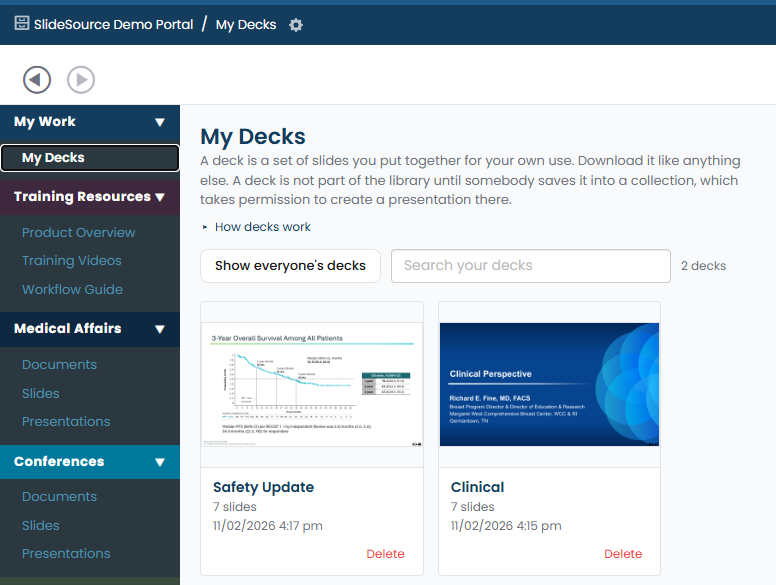
Find your decks under My Decks, reachable from the library menu or from the Manage Library page.
A deck follows the slides in it
Section titled “A deck follows the slides in it”This is the part that makes a deck different from a folder of copied files.
A deck references library slides rather than copying them. When a slide is edited in the library, your deck moves to the new version, and the deck marks which of its slides have changed, or been recycled, since you added them.
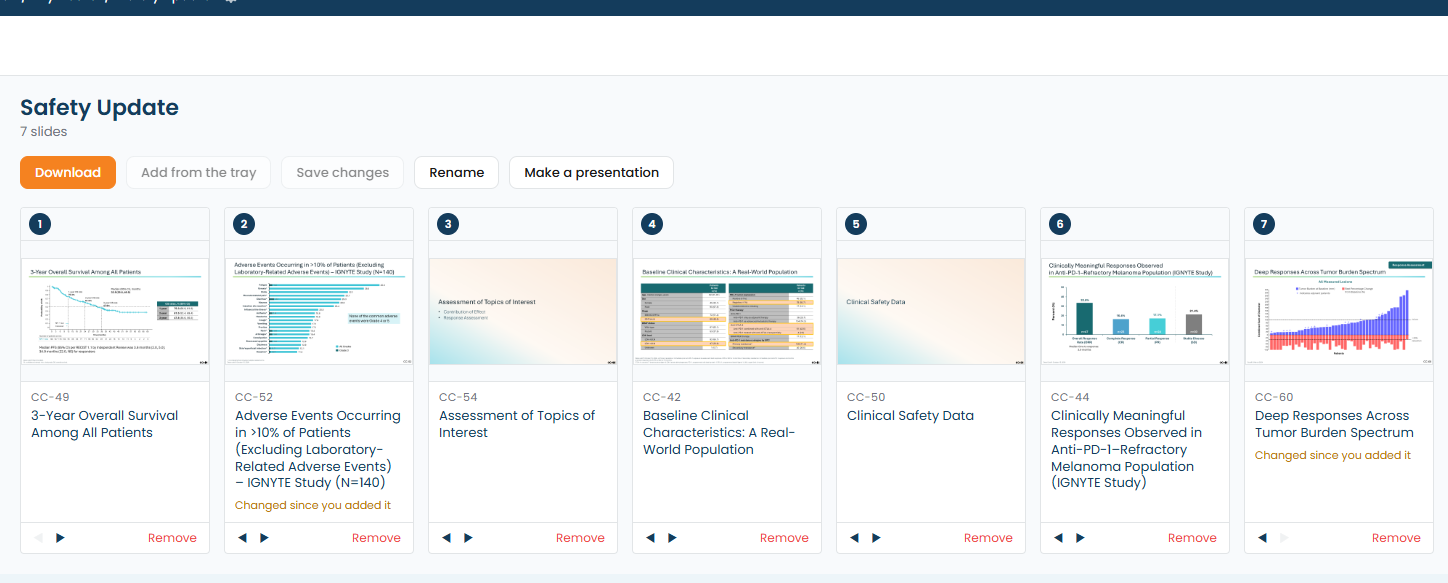
So a deck you built a month ago does not quietly go stale. Open it and it tells you what moved underneath you.
Downloading a deck
Section titled “Downloading a deck”Download a deck like anything else in the library. If approval enforcement is on, the same approval rules apply to a deck’s slides as to any other download, including the checkout offer for people who can edit the content. See approvals.
Turning a deck into a presentation
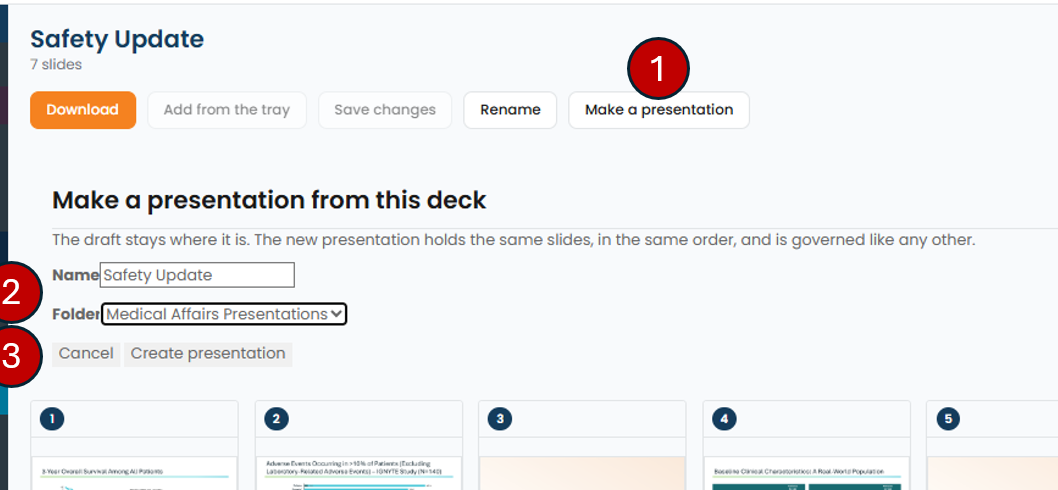
Section titled “Turning a deck into a presentation”When a deck is worth keeping, promote it. That creates a real presentation from the deck’s slides in one step, with a collection, version history and everything else a presentation has.
Promotion is the moment a working set becomes governed content, so it is also the moment approval types start to apply to it.